






09-01-2015, 03:54 AM
Admin KP - Şablon & Stil - Kullandığınız Tema - Global.css ' e girin bu kodları en altına ekleyin..
Kod:
Admin KP - Şablon & Stil - Şablonlar - Kullandığınız Tema - Postbit Şablonlar - Postbit_avatar ' a girin içindeki tüm kodları silip bu kodları ekleyin..
Kod:
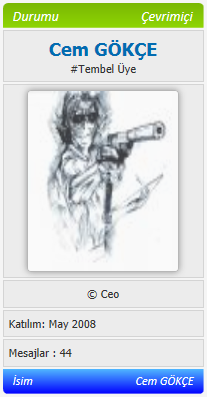
Avatarın üstüne gelmeyince ;
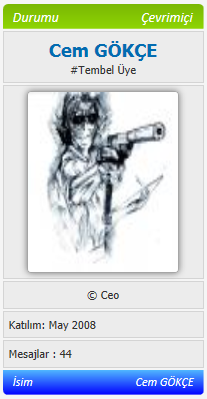
Avatarın üstüne gelince ;
Kod:
Kod:
.avatarpw {
     opacity: 0.75;
     border: 1px solid #a6a6a6;
     border-radius: 4px;
     -o-border-radius: 4px;
     -ms-border-radius: 4px;
     -moz-border-radius: 4px;
     -webkit-border-radius: 4px;
     -webkit-box-shadow: 0 0 10px 0 rgba(0,0,0,0.5);
     box-shadow: 0 0 10px 0 rgba(0,0,0,0.5);
     -webkit-transition: all 0.5s ease;
     -moz-transition: all 0.5s ease;
     -ms-transition: all 0.5s ease;
     -o-transition: all 0.5s ease;
     transition: all 0.5s ease;
}

.avatarpw:hover {
     opacity: 1;
     -webkit-transition: all 0.5s ease;
     -moz-transition: all 0.5s ease;
     -ms-transition: all 0.5s ease;
     -o-transition: all 0.5s ease;
     transition: all 0.5s ease;
}
Admin KP - Şablon & Stil - Şablonlar - Kullandığınız Tema - Postbit Şablonlar - Postbit_avatar ' a girin içindeki tüm kodları silip bu kodları ekleyin..
Kod:
Kod:
<a href="{$post['profilelink_plain']}"><img class="avatarpw" src="{$post['avatar']}" width="150" height="150" /></a>Avatarın üstüne gelmeyince ;
Avatarın üstüne gelince ;